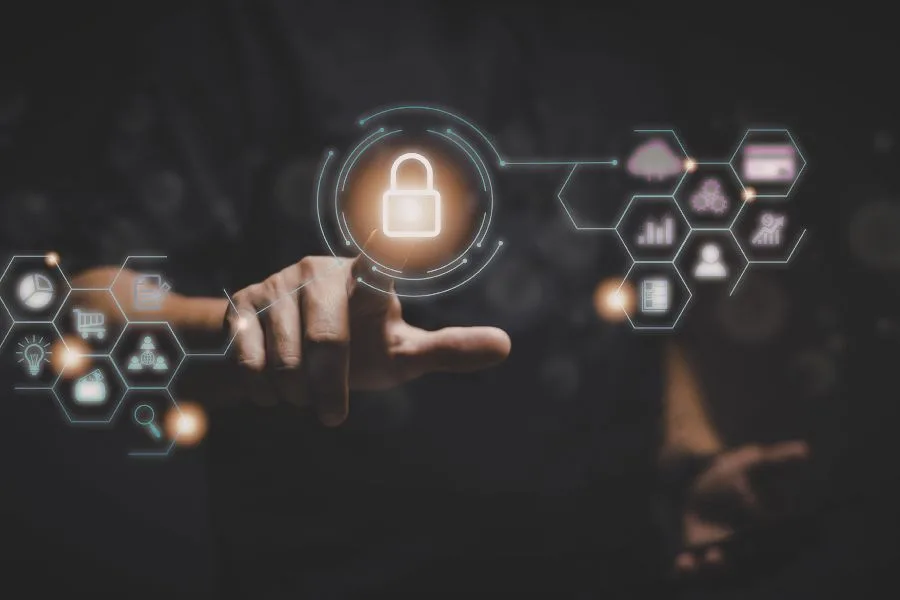
In today’s world, almost everything is online. We use the internet for banking, shopping, studying, working, and talking to our friends and family. Every day, we log in to websites, apps, and systems using usernames and passwords. You may think about how these systems know who you are. They also decide what you can see and what you are allowed to do. This is where Identity and Access Management (IAM) comes in.
IAM plays a very important role in cybersecurity because it protects sensitive information from hackers and unauthorized users. Identity and Access Management is a system that helps organizations control who can use their computers, networks, and data. It makes sure that the right people get the right access at the right time.
What is Identity in IAM?
Firstly, we understand the word “identity.” In real life, your identity is who you are. It includes your name, date of birth, school ID card, or any document that proves you are you. In the digital world, identity means your online information that proves who you are. Like:
- Username
- Password
- Email ID
- Employee ID
- Biometric data like fingerprint or face scan
When you log in using these to a website, you are proving your digital identity.
Now, what is Access?
It means permission to enter or use something. Take the example that a student can access their class. In the same way, in a company:
- An employee can access their work files.
- The HR team can access employee records.
- The IT team can access system settings.
We understand that not everyone has access to enter anywhere they want. That would be dangerous at the same time.
What is Identity and Access Management (IAM)?
Identity and Access Management (IAM) is a system that identifies users, authenticates users, and authorizes users, meaning they are allowed to enter or have access now. IAM makes sure that:
- Only the right person can log in.
- That person can only access what they are allowed to.
- No one else can misuse the system or see private information.
In simple words, IAM is like a digital security guard that keeps systems safe, protects important data, and stops hackers or unauthorized users from causing problems or misusing the data.
Why is IAM Important in Cyber Security?
Cybersecurity is about protecting computers, networks, and data from cyberattacks. Many cyber attacks happen because of weak passwords or poor access control. Hackers try to steal passwords, data, and money. To overcome this, IAM helps to prevent these problems. Here are some reasons why IAM is important:
1. Protects Sensitive Data
Companies store important data like:
- Customer information
- Bank details
- Business plans
- Employee records
If hackers get access to this data, it can cause huge damage. IAM ensures that only authorized people can see sensitive information.
2. Prevents Unauthorized Access
If someone tries to log in with the wrong password, IAM blocks them. It also tracks doubtful activities. IAM systems can alert the company about these risks.
- Multiple failed login attempts
- Log in from a strange location
- Log in at unusual times
3. Reduces Insider Threats
Sometimes, threats come from inside the organization. An employee may misuse their access. IAM limits access based on job roles. This reduces the chances of misuse.
4. Improves Security with Multi-Factor Authentication (MFA)
Many IAM systems use Multi-Factor Authentication (MFA). MFA means you need more than just a password to log in. For example:
- Password + OTP (One-Time Password)
- Password + fingerprint
- Password + face recognition
This makes it much harder for hackers to break in.
Key Components of IAM
IAM has several important parts:
1. User Management
User Management is all about creating and controlling user accounts. This includes creating new user accounts, updating user detail, and deleting accounts when someone leaves.
User management keeps the system organized and secure.
2. Role-Based Access Control (RBAC)
Role-Based Access Control gives access based on the job role. Everyone gets only the permissions they need to do their work. For example:
- HR staff can access employee records.
- Managers can approve leaves or view reports.
RBAC makes it easy to control access in large organizations. It also prevents people from accessing things they shouldn’t, keeping data safe and secure.
3. Password Management
Password Management is an important part of IAM because passwords are the first line of security. IAM systems help:
- Enforce strong passwords: users must create a strong pr hard to guess the password.
- Change passwords regularly: This prevents old passwords from being stolen.
- Reset forgotten passwords securely: Users can safely recover access without risking security.
It also makes sure users follow proper security rules without creating extra trouble. Strong password management helps reduce hacking risks.
4. Single Sign-On (SSO)
It allows users to log in once and access multiple systems without entering passwords again. For example, after logging in once, a user can access the company portal, or the hr system.
SSO makes life easier for users because they don’t have to remember many passwords. At the same time, it keeps the system secure.
5. Multi-Factor Authentication (MFA)
MFA adds an extra layer of security by requiring more than one method to verify identity. Such as Password + fingerprint scan, etc. MFA makes it much harder for hackers to steal a password. It ensures that the person logging in is really the right user, keeping accounts and sensitive data safe.
How Does IAM Work?
IAM works in three main steps:
Step 1: Identification
You enter your username or email. So the system knows it is you.
Step 2: Authentication
The system checks if you are really that person. It may ask for a password, OTP, or fingerprint. If the information matches, you are authenticated.
Step 3: Authorization
After authentication, the system checks what you are allowed to access. For example, an admin can change the system settings only. The system gives access based on rules.
Benefits of IAM
There are many benefits of IAM:
- Better security
- Reduced risk of data breaches
- Easy user management
- Improved user experience
- Better monitoring and reporting
Common Cyber Threats That IAM Helps Prevent
Fake Email Tricks
Hackers try to steal passwords by tricking people. MFA can reduce damage from stolen passwords.
Data Breaches
Weak access control can lead to data leaks. IAM limits access to reduce this risk.
Privilege Abuse
If someone has too much access, they may misuse it. IAM controls permissions carefully.
Best Practices for Strong IAM
To make IAM effective, organizations should:
- Use strong password policies.
- Enable Multi-Factor Authentication.
- Follow the principle of least privilege (give minimum access needed).
- Regularly review user access.
- Monitor login activities.
- Provide cyber security training to employees.
The Future of IAM
Technology is changing fast. In the future, IAM may use:
- Artificial Intelligence (AI) to detect unusual behavior.
- Passwordless authentication like biometrics.
- Cloud-based IAM systems.
- Zero Trust security models (trust no one without verification).
As cyber threats grow, IAM will become even more important.
Conclusion
Identity and Access Management (IAM) is a key part of cyber security. It helps organizations control who can access their systems and data. IAM protects sensitive information, prevents unauthorized access, and reduces cyber risks.
In today’s digital world, where cyber attacks are increasing every day, IAM is not optional. It is necessary. Every organization needs IAM to stay safe, even small business to a large bank system. By using strong authentication, proper access control, and regular monitoring, companies can protect their data and build trust with customers.
Cyber security starts with identity. And IAM is the system that keeps that identity safe. To know more, you can get in touch and learn how we keep your data secure.